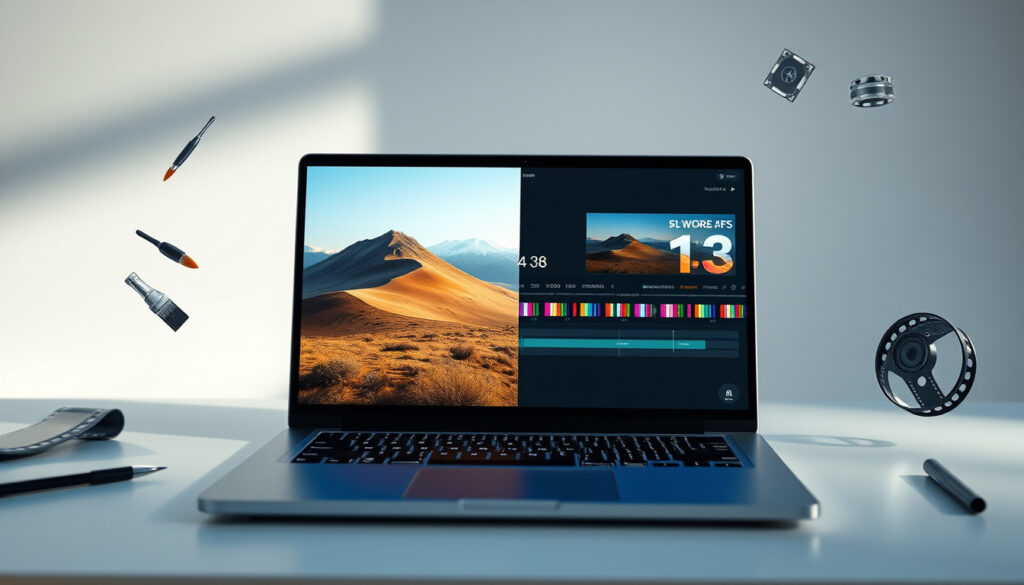
AI Generator 2025 Guide – Best Free Tools for Images and Video
Choosing the right AI generator in 2025 can feel overwhelming. Dozens of tools promise free image creation from text, yet each has different strengths, limits, and legal terms. This guide compares the best free AI image generators, explains how the technology works, and answers the most common questions about video generation, editing, and commercial use.
What is the Best Free AI Image Generator?
The answer depends on what you need. For general image generation from text, the most frequently recommended free options include Microsoft Designer / Bing Image Creator, Leonardo AI, Ideogram, Canva, Adobe Firefly, and Playground AI. Each tool balances quality, cost, and creative control differently.
Key Insights at a Glance
- Most AI image generators now offer free tiers with daily credits.
- Diffusion models (Stable Diffusion, DALL-E, Firefly) power nearly all modern tools.
- AI video generation is still emerging; RunwayML and Pika Labs lead the market.
- Prompt quality directly determines output quality – specificity matters more than length.
- Free tiers change frequently; always check current credit limits before committing.
- Adobe Firefly is the safest choice for commercial work due to its licensed training data.
- Ideogram excels at rendering readable text inside images, a rare capability.
| Tool | Best For | Free Tier (Approx.) | Key Strength |
|---|---|---|---|
| Microsoft Designer / Bing Image Creator | Beginners | 100 boosts/day | Easiest to use, good quality |
| Leonardo AI | Creative control | 150 credits/day | Flexible, professional results |
| Ideogram | Text in images | 100 images/day | Accurate text rendering |
| Playground AI | High volume | Up to 500 images/day | Generous daily limit |
| Canva AI | Design workflows | 50 lifetime credits | Integration with design tools |
| Adobe Firefly | Commercial safety | 25 credits/month | Licensed training data |
| SeaArt.ai | Accessibility | Unlimited (slower queue) | Variety of models |
| Mage.space | Open SD access | Unlimited basic models | Flexibility |
| Tensor.Art | Custom models | 100 credits/day | Community workflows |
| Freepik AI | Stock-style assets | Small daily allowance | Marketing graphics |
How Does AI Image Generation Work?
At the core of every AI image generator is a neural network trained on millions of images. The dominant architecture is the diffusion model, which learns to reverse a process of adding noise to images. Given a text prompt, the model starts with random pixels and gradually denoises them into a coherent picture that matches the description.
Major models include OpenAI’s DALL-E 3, Adobe Firefly, and Stability AI’s Stable Diffusion. They differ in training data, prompt comprehension, and artistic style. DALL-E 3 is praised for understanding complex prompts, Firefly for commercial safety, and Stable Diffusion for open-source customization.
A diffusion model is trained by adding Gaussian noise to real images and then learning to remove that noise step by step. At inference, it starts from pure noise and uses the text prompt to guide the denoising process, producing a new image that matches the input description. This technique underpins nearly all modern AI generators.
Can AI Generators Make Videos?
Yes, but the technology is less mature than image generation. Tools like RunwayML, Pika Labs, Luma, and Kling allow users to generate short video clips from text prompts. Most operate on a free trial or credit system, and outputs are typically a few seconds long.
The evidence from multiple comparisons suggests that dedicated AI video generation is still in early stages. The research notes that the supplied results are mostly about image generators, not dedicated free AI video generators. For a reliable ranking of video tools, sources focused on Runway, Pika, Luma, Kling, Veo, or similar would be needed.
Free video generation tiers are often very limited. RunwayML offers a trial with a small number of credits. Pika Labs provides free access but with watermarks. Always check current terms, as video generation costs are higher than image generation and free quotas may shrink.
How to Use an AI Image Generator from Text
Using a text-to-image generator is straightforward. Enter a descriptive prompt, adjust settings (style, aspect ratio, number of outputs), and generate. Most tools provide a web interface or API. For best results, write specific prompts: include subject, action, setting, lighting, and artistic style.
Prompt quality directly determines output quality. Vague prompts produce generic images; detailed prompts yield more accurate results. For example, “a cat sitting on a windowsill with sunset lighting, digital art style” outperforms “a cat.”
Include at least three elements: subject (what is in the image), context (background, environment), and style (realistic, cartoon, oil painting). Avoid negative phrasing; instead, frame what you want. Experiment with different tools as each interprets prompts differently.
Can AI Edit Existing Images?
Yes, many AI generators now include editing features. Tools like Pixlr, Adobe Firefly (with Generative Fill), and Canva allow users to modify existing images: remove backgrounds, replace objects, extend canvases, or change styles. These are often available through free tiers.
Editing capabilities vary. Inpainting (replacing part of an image) is common; outpainting (extending the canvas) is available in fewer tools. Browser-based editors like Pixlr provide a full photo-editing experience with AI assistance.
How Did AI Image Generation Evolve?
The timeline of generative AI for images shows rapid progress in just a few years:
- – OpenAI releases DALL-E 1, demonstrating text-to-image synthesis.
- – Stable Diffusion open-sourced; Midjourney launches publicly.
- – Adobe Firefly announced; Bing Image Creator launches with DALL-E 3 integration.
- – AI video generators (Runway, Pika) gain mainstream traction.
Are AI Generated Images Safe to Use Commercially?
The answer is nuanced. Some tools explicitly allow commercial use even on free plans; others require a paid subscription. Adobe Firefly is positioned as the safest choice because it is trained exclusively on licensed content, according to its documentation. However, the long-term copyright status of AI-generated images remains unresolved in many jurisdictions.
| Established Information | Information That Remains Unclear |
|---|---|
| AI generators create images from text prompts using trained neural networks. | Long-term copyright status of AI-generated images is unresolved in many jurisdictions. |
| Adobe Firefly trains on licensed data and offers commercial-use guarantees. | Whether free tiers will remain free as compute costs rise. |
| Most tools allow commercial use on paid plans; some allow it on free tiers. | Exact legal boundaries for derivative works based on AI outputs. |
What Makes AI Generators Different from Each Other?
The AI generator market is highly competitive, with major tech companies offering free tiers to gain users. Quality has improved dramatically in 2024–2025, with near-photorealistic outputs now common. Key distinctions: DALL-E 3 excels at understanding complex prompts; Adobe Firefly focuses on commercial safety; Stable Diffusion offers maximum customization via open-source. Tools also differ in speed, resolution, and supported styles.
The research notes that free tiers change often, so credit counts like “100/day” or “25/month” should be treated as time-sensitive. Several results conflict on exact free limits, suggesting frequent adjustments or different counting methods across platforms.
What Do Official Sources Say About AI Generators?
Adobe Firefly documentation emphasizes ethical training data and commercially safe outputs. OpenAI’s safety research on DALL-E 3 highlights measures to reduce harmful content. Stability AI’s model card for Stable Diffusion details open-source usage and potential risks.
“Adobe Firefly is trained on licensed content and designed for commercial safety.”
Adobe Firefly documentation
“DALL-E 3 represents a significant advance in understanding nuanced prompts.”
OpenAI safety research
“Stable Diffusion is an open-source model that gives developers full control over customization.”
Stability AI model card
What Is the Bottom Line on AI Generators?
For most users, the best free AI image generator is Bing Image Creator for ease of use, Adobe Firefly for commercial safety, and Ideogram when text matters. For a deeper comparison, see our Complete AI tools comparison or learn How to write better AI prompts.
Frequently Asked Questions
What is generative AI?
Generative AI refers to artificial intelligence that can create new content – text, images, video, audio – based on patterns learned from training data. It powers tools like ChatGPT, DALL-E, and Midjourney.
Are AI generated images copyright free?
Copyright status varies by jurisdiction and tool. Some platforms like Adobe Firefly offer commercial-use guarantees; others do not. Always check the terms of service.
What is the best AI generator for slides?
Gamma.app and Tome.app are leading AI slide generators, while Canva offers AI-powered presentation creation with template generation.
What is the difference between AI generators?
Key differences include output quality, speed, cost, editability, and legal terms. DALL-E 3 is best for complex prompts; Stable Diffusion for customization; Firefly for commercial use.
Can I use AI image generators on my phone?
Yes, most major tools offer mobile web interfaces or apps. Bing Image Creator, Canva, and Leonardo AI all work well on smartphones.
Which AI generator is best for photorealistic images?
Leonardo AI and DALL-E 3 (via ChatGPT) are frequently noted for producing photorealistic results on free tiers.
How many images can I generate for free per day?
Numbers vary widely: Bing Image Creator offers about 100 boosts/day, Leonardo AI ~150 credits, Playground AI up to 500 images. Check current limits as they change often.
Do AI generators work for commercial projects?
Many tools allow commercial use on free or paid plans. Adobe Firefly is safest for commercial work. Always review each platform’s terms before selling generated images.
What is the best free AI image generator without a login?
Bing Image Creator requires a Microsoft login. Some tools like Mage.space offer model access without account, but most require registration for free credits.
Can AI generate images from text in real time?
Most tools take 5–30 seconds per image. Real-time generation (sub-second) is not yet common in free tiers, but advances in model distillation are narrowing the gap.
Explore more: ChatGPT Image Generator, DeepAI Image Generator, and Stability AI.
More related posts
 Dominik Szoboszlai – Profile, Role, Gear and Latest News
 Hank Azaria – Biography, Simpsons Voices, Net Worth & More
 Are Chia Seeds Good For You – Benefits, Risks & Daily Intake
 Maeve Courtier-Lilley – Biography, Movies, and Family Facts
 Matt Czuchry – Biography, Career, and Net Worth
 Chace Crawford – Biography, Age, Height, and Personal Life
 DJ Qualls – Movies, TV Shows, Net Worth, and Personal Life